Team credits, activity and stats
Editors spend the owner’s credits. See what each video costs, what the team did, and how much each person made this month.
Team credits
A team has one balance: the owner’s. When an editor prepares or renders a video, the credits come from the owner’s plan, at the same prices as the owner’s own videos. See Credits and plans.
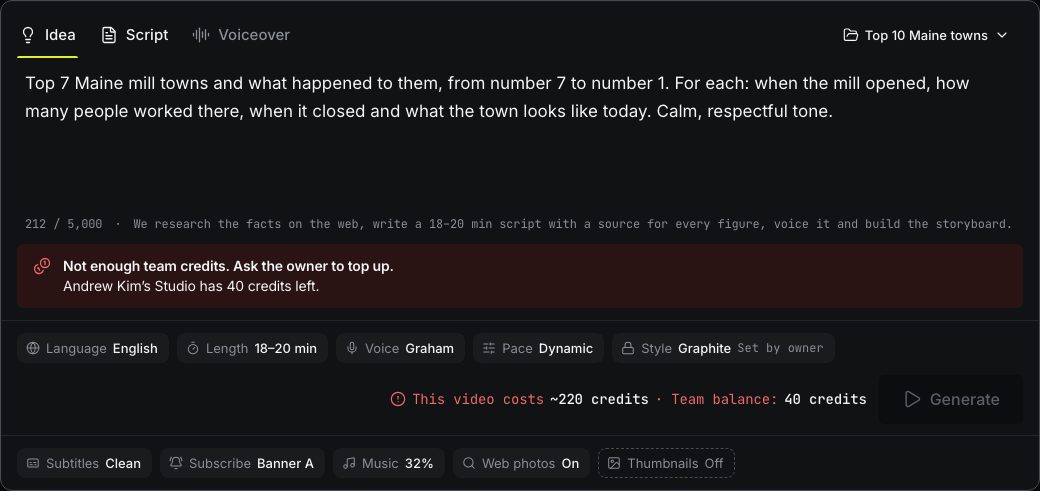
Editors see the team’s balance at the bottom of the sidebar. In the composer, next to Generate, they see what the video will cost and what the team has left.

If the team doesn’t have enough credits, Generate is disabled and the composer says Not enough team credits. Ask the owner to top up. Only the owner can buy credits or change the plan, on Billing.
Activity
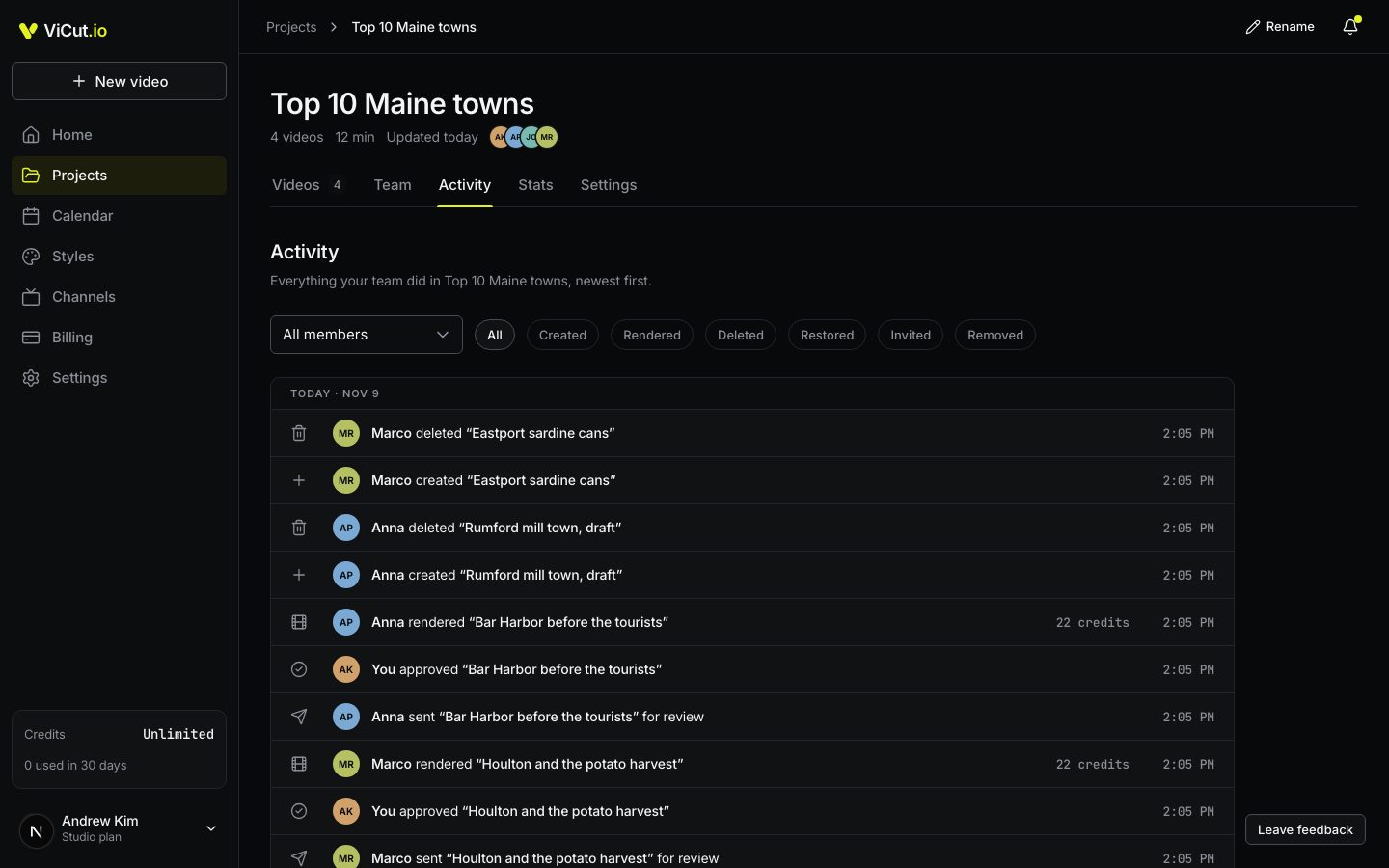
Open the project and the Activity tab to see what your team did, newest first: who created, rendered, deleted or restored a video, sent a storyboard for review, approved it or asked for changes, and who was invited, joined or was removed. A render shows the credits it cost.
Filter by person with All members, or by action: Created, Rendered, Deleted, Restored, Invited, Removed.
The bell at the top tells the owner when someone joins, sends a storyboard for review or renders a video. Opening it marks everything as read.
Stats
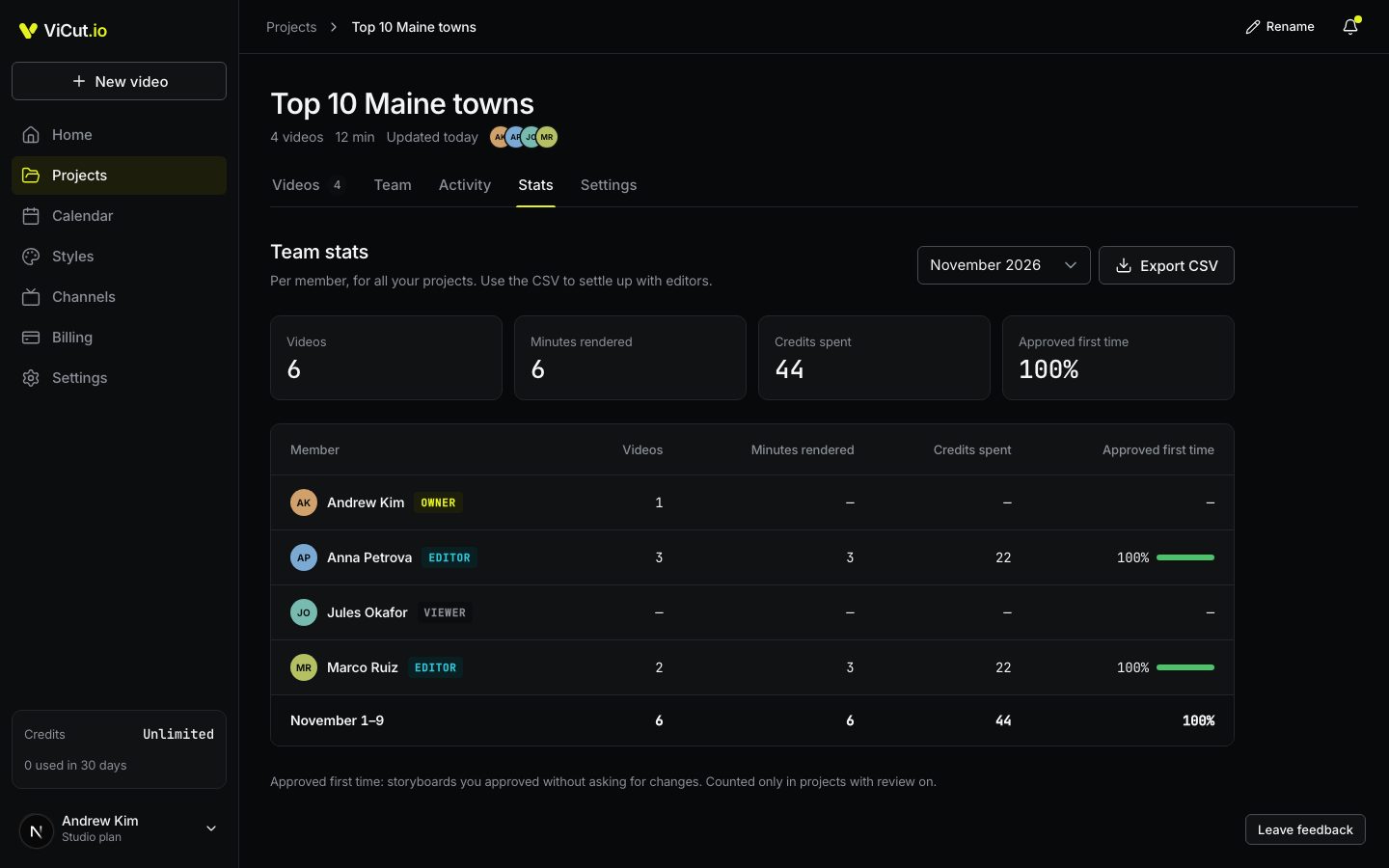
The Stats tab counts each person’s work for a month, across all your projects:
- Videos: videos they started.
- Minutes rendered and Credits spent on renders.
- Approved first time: the share of their storyboards you approved without asking for changes. It counts only in projects with review on.
Pick the month at the top. Export CSV downloads the same table, for example to pay editors per video or per minute.
On the Videos tab, each card shows who made the video. Created by filters the list by person.
Write to us — a person reads every message and replies by email.