How ViCut works
The four steps from an idea or a voiceover to a finished YouTube documentary, and what each step costs.
ViCut makes long, documentary-style YouTube videos: narration over real photos, archive pictures, stock clips, maps and title cards. You bring an idea or a recorded voiceover, in English, Spanish or German, on any topic: history, true crime, science, money, places, biographies and more. ViCut does the research, timing and footage, and you check the result before anything is rendered.
The four steps
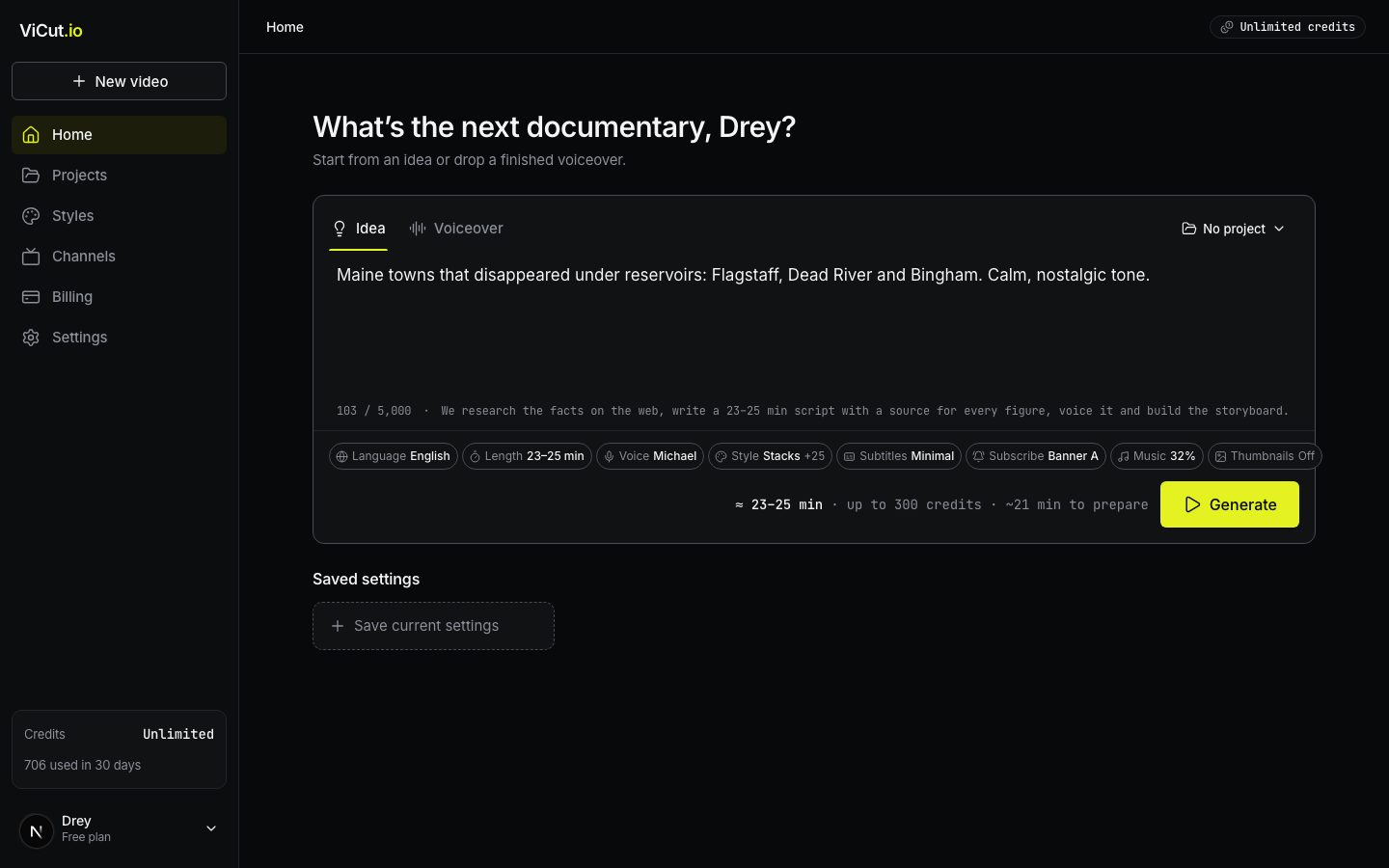
- Start. On Home you describe an idea or upload a voiceover, pick a length, a voice and a look, and press Generate. The cost is shown before you start.
- Preparation. ViCut writes and voices the script (for an idea), splits the narration into chapters and scenes, and finds footage for every scene. This takes a few minutes; you can close the tab.
- Storyboard. You get every scene with its narration and the chosen frame. Replace any photo or clip, change how a scene looks, move the subscribe banners, pick music. Nothing is rendered yet.
- Render. Press Render video. A few minutes later you get a 1080p MP4, an SRT subtitle file, optional thumbnails and a ready-to-paste YouTube title, description and tags.
Where things are
The left sidebar is always there, except on full-screen screens like the storyboard.
- New video and Home open the composer, where every video starts.
- Projects keeps videos grouped by channel or topic.
- Styles holds the video themes and your own customized versions.
- Channels holds your YouTube channels. Their name and avatar go on the subscribe banner.
- Billing shows your plan, credits and invoices. Settings has your profile, stored videos and sign-in sessions.
- In progress lists videos that are preparing or rendering right now. Click one to open it.
- The credits meter at the bottom shows how many credits are left and roughly how many minutes of video that is.
What it costs
ViCut uses credits. About 11 credits make one finished minute of video:
- 4 credits a minute are spent while footage is gathered during preparation.
- 7 credits a minute are reserved when you start and charged when the render finishes.
Premium themes add 1 credit a minute. Subtitles, music, the subscribe banner, thumbnails, YouTube details and re-voicing are free. See Credits and plans for details.
Next
- Make your first video: a step-by-step walkthrough.
- Start from an idea or Start from your own voiceover.
Write to us — a person reads every message and replies by email.