Channel kit: lock or recommend styles and voices
Set the style, voice, music and subscribe banner that editors’ videos start with, and lock the ones they shouldn’t change.
What the channel kit is
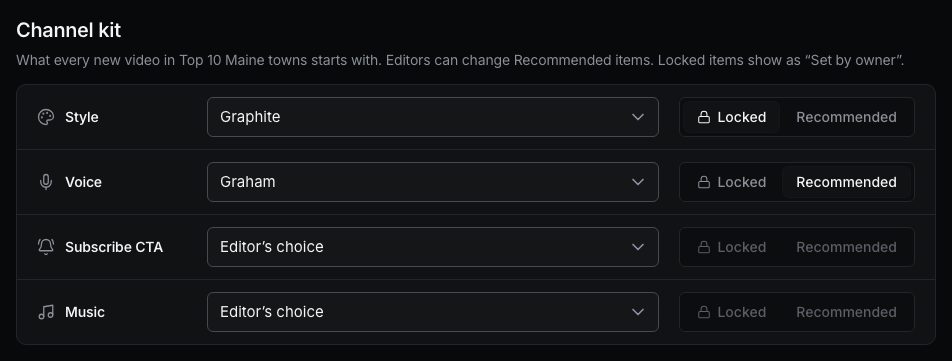
The channel kit keeps a project’s videos looking and sounding the same, whoever makes them. It has four items:
- Style: the look of every frame. See Video styles.
- Voice: the narrator.
- Subscribe CTA: which subscribe banner the videos use, or off.
- Music: the background track, or no music.
Set it up
Open the project, the Settings tab, and find Channel kit. For each item, choose a value, then how it applies to editors:
- Recommended: new videos start with it, and editors can change it.
- Locked: editors can’t change it. They see it with Set by owner.
- Editor’s choice: nothing is set, editors choose themselves.
Changes save right away and apply to new videos.
The kit binds editors only. As the owner, you can still change anything in your own videos and in editors’ videos.
What editors see
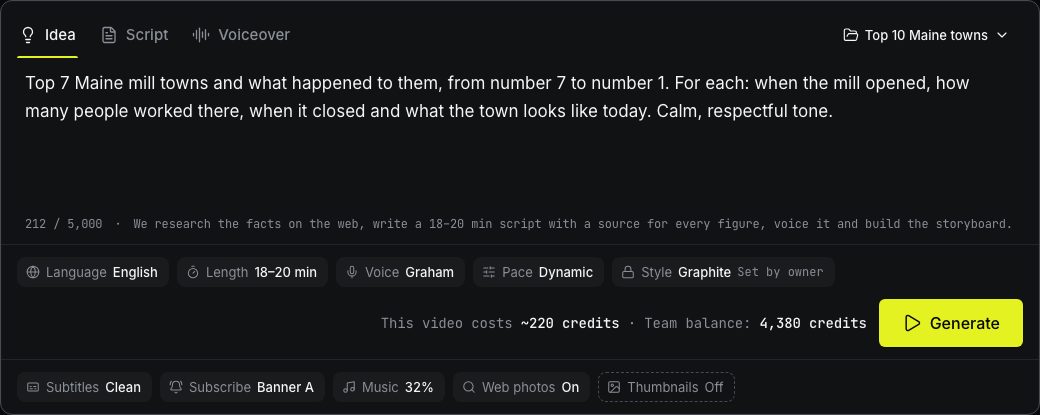
When an editor starts a video in the project, the composer already has the kit’s values. Locked items show a lock and Set by owner. On the storyboard, a locked style or music can’t be changed either.
Viewers don’t make videos, so the kit doesn’t affect them.
Write to us — a person reads every message and replies by email.