Start from an idea
Describe a documentary in a sentence or a detailed brief. ViCut researches the facts, writes the script with sources, voices it and builds the storyboard.
How to start
- On Home, choose the Idea tab.
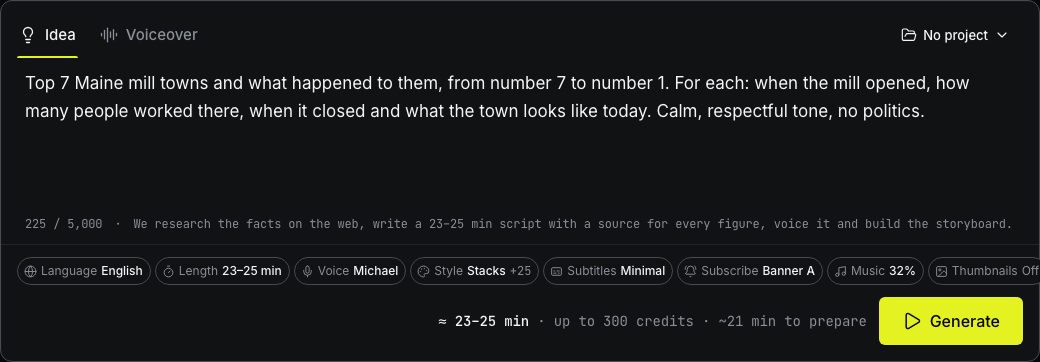
- Describe the video in the text box, up to 5,000 characters.
- Pick the Language, the Length and the Voice in the chips below.
- Press Generate.
Language and audience
Pick English, Español or Deutsch in the Language chip. ViCut researches in that language, writes the script, subtitles, chapter titles, thumbnails and YouTube details in it, and the voice list shows only narrators of that language.
Say who the video is for in the brief — *“for young people in Mexico”*, *“für Rentner in Deutschland”*, *“for American retirees”*. The pace and words of the script, the footage (for example, the age of people on screen) and the thumbnails follow the audience.
Writing a good brief
One sentence works: *“Maine towns that disappeared under reservoirs”*. A longer brief gives you more control. You can list:
- the chapters or places you want, in order;
- facts, dates or numbers that must be in the video;
- the tone, for example calm and nostalgic, or tense;
- what to leave out.
If you want a countdown, say so (“top 7 …, from number 7 to number 1”). Each place becomes a chapter with its own title card.
What happens next
Preparation starts with an extra stage, Researching and writing the script. ViCut searches the web, keeps the facts it can source and writes a script of the length you picked. Every figure in the script has a source. When the stage finishes, it shows the number of words, chapters and sources.
Then the script is voiced by the narrator you picked and the rest goes exactly as with an uploaded voiceover: timing, scenes, footage, frames.
Length and cost
The Length chip offers ranges from 8–10 to 33–35 minutes, with the approximate cost of each. In Idea mode the cost line says up to a number of credits: ViCut reserves credits for the upper end of the range, and you are charged for the real length of the voiced script. If the script comes out longer than the range, ViCut shortens it once, for free.
Voices
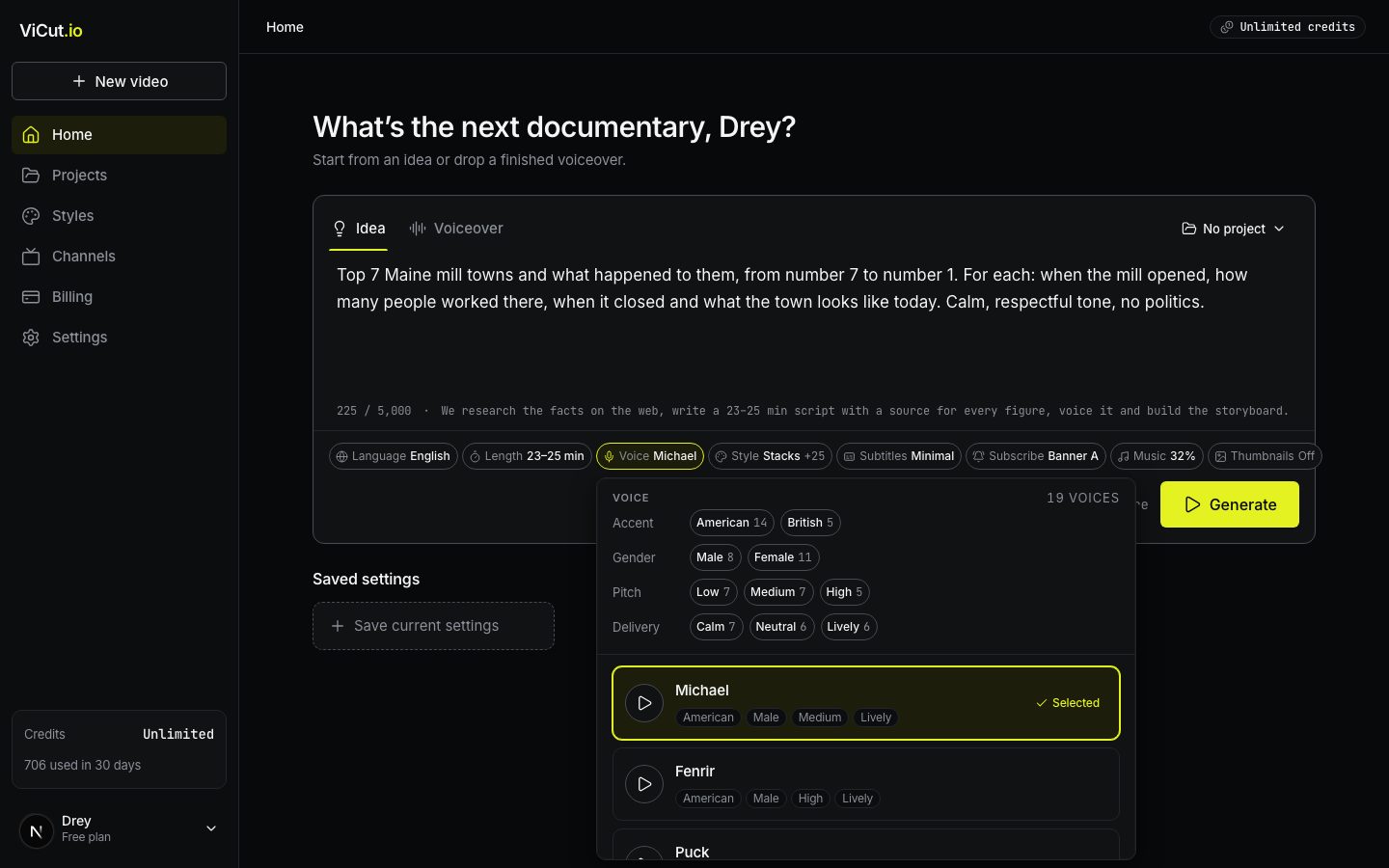
The Voice chip opens the AI narrators of the chosen language: 19 English (American and British), 6 Spanish (Spain and Latin America) and 4 German. Press play to hear a sample. Filter by accent, gender, pitch (Low, Medium, High) and delivery (Calm, Neutral, Lively). The filters combine; Clear filters shows all voices again.
Write to us — a person reads every message and replies by email.