Working in several teams (for editors)
Switch between the teams you work in and your own workspace, and what happens when an owner removes you or a team ends.
Switch teams
If you work for more than one owner, or have your own plan as well, the switcher at the top left shows where you are: an owner’s team, such as Andrew’s Studio, or My workspace.
Click it to see every team you’re in, your role in each and how many of its projects you can open. Pick one, and Projects shows that team’s projects.
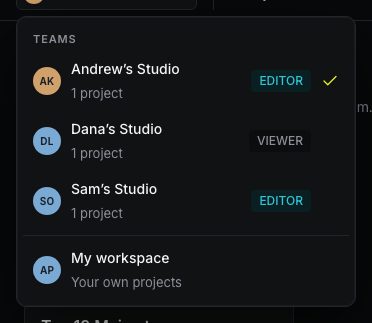
- In a team, you work with that owner’s credits, channel kit and review rules. The sidebar shows the team’s credits.
- In My workspace, you see your own projects and your own plan, if you have one. Nothing from the teams is mixed in.
The composer puts a new video into the project you start it from. Check the project name at the top right of the composer before you press Generate.
If you lose access
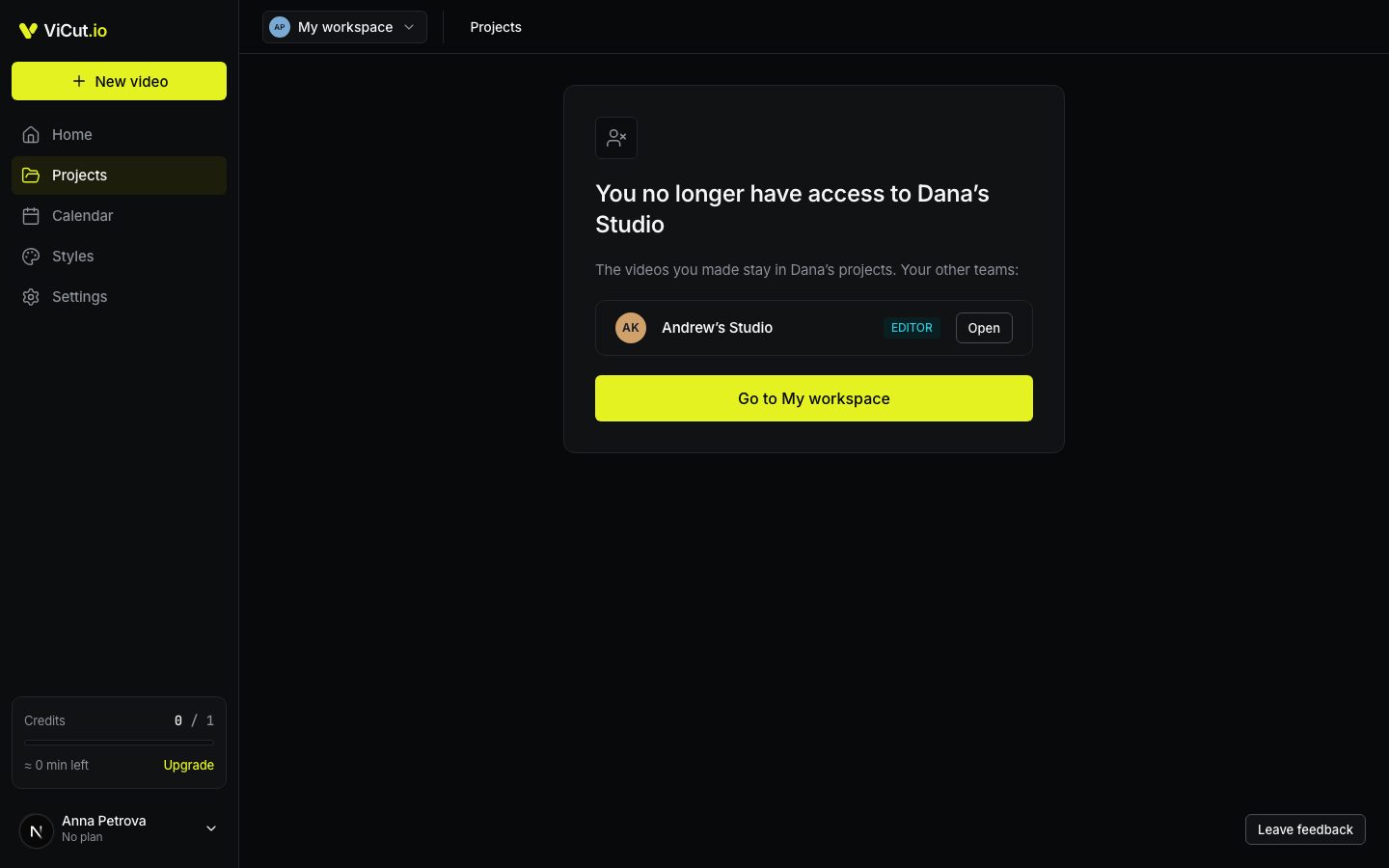
You see You no longer have access to … when:
- the owner removed you from their projects, or
- the owner’s Studio plan has ended.
The videos you made stay in the owner’s projects. If you’re in other teams, they’re listed below with Open. Go to My workspace takes you to your own projects.
When an owner’s plan is ending
- Studio cancelled. A banner on Projects says when the team ends. Until then, everything works.
- The owner’s payment failed. The banner says This team’s plan has ended. Videos are read-only. You can still watch and download for a few days, but not change or render anything. The owner can restart Studio to give the team access again.
Your own account, your own styles and your own plan are not affected by any of this.
Write to us — a person reads every message and replies by email.