Themes and your own styles
Pick a theme, change it for one video, and make your own style with your colors, fonts and photo treatment.
A theme is the look of the whole video: fonts, colors, title cards, photo frames, camera motion and transitions. A style is your own version of a theme.
Included and Premium themes
Open Styles in the sidebar to see them all. Hover a card to watch it move.
- Included (Graphite, Ember, Parchment): part of every plan.
- Premium (Broadsheet, Stacks, Satin, Circuit, Basel): +1 credit per minute of video, charged with the render. Premium themes also add story graphics: animated charts of numbers from your narration, quote cards, key phrases, year cards, a final ranking, person cards with a photo, name and role, prints with a stamp (“ARRESTED”, “DIED”, “SENTENCED”), documents with a highlighted line and full-screen headlines. How often they appear depends on the kind of story: rare in war and biography, frequent in true crime and explainers.
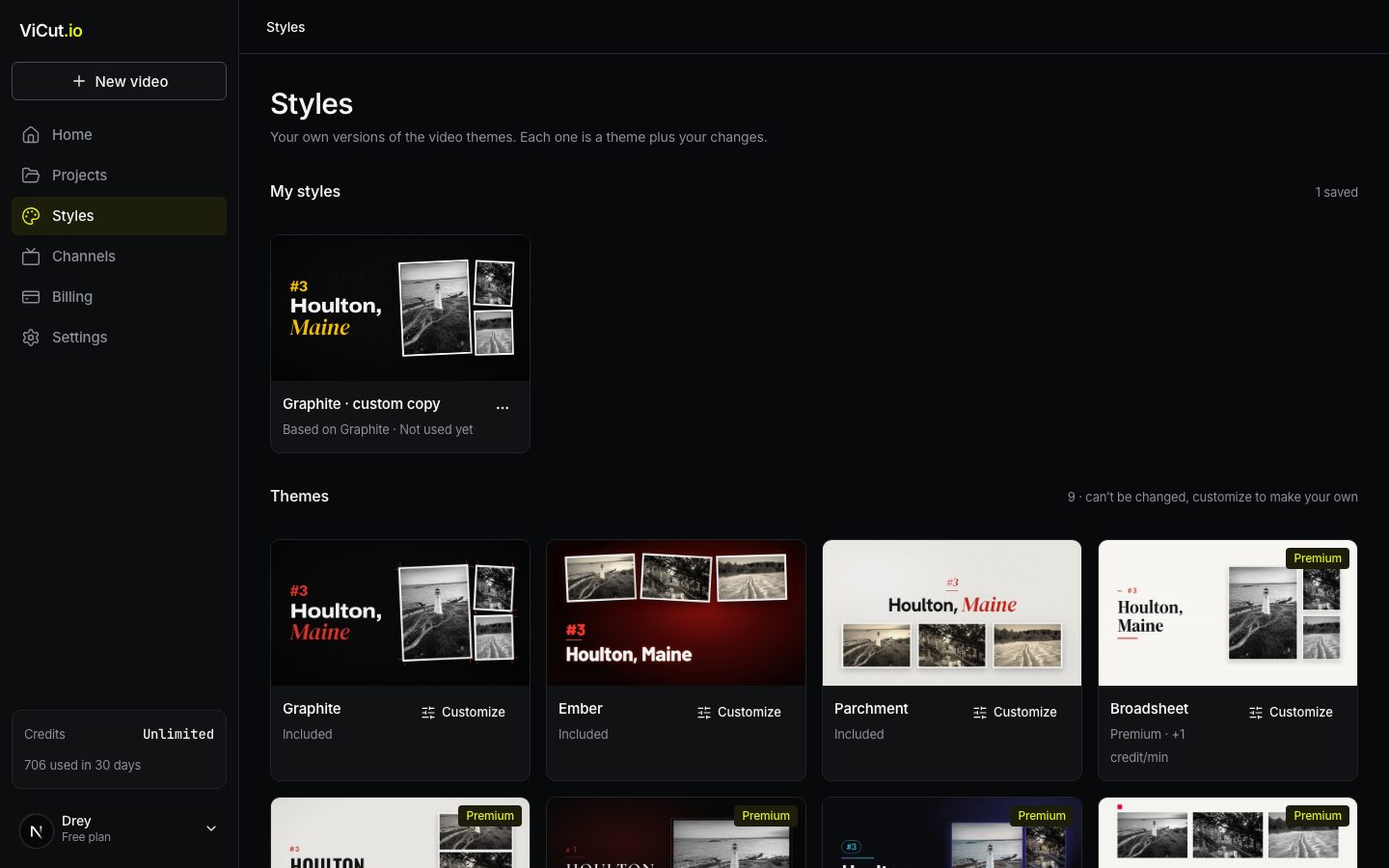
Choose the theme for a video
- Before you start: the Style chip on Home.
- On the storyboard: the Style button in the top bar. Frames stay, only the look changes. Switching between Included and Premium updates the cost before rendering.
- Photos: Colour / Theme tone keeps photos in their own colors or tints them to the theme.
Make your own style
- On Styles, press Customize on a theme. From a video, use Customize in the Style menu to edit it on that video’s own photos.
- Change what you like in three groups on the left: - Colors: background, surface, accent, text, muted text and chart colors. A warning appears if text becomes hard to read. - Type: display, text and accent fonts from Google Fonts, weight and title size. - Photos: grade (Color, B&W, Sepia, Warm, Cool) and its strength, grain, photo frame and tilt.
- The five previews on the right update as you go: chapter title, photo card, number plate, bar chart and subtitles.
- Press Save, or Save as new to keep the original.
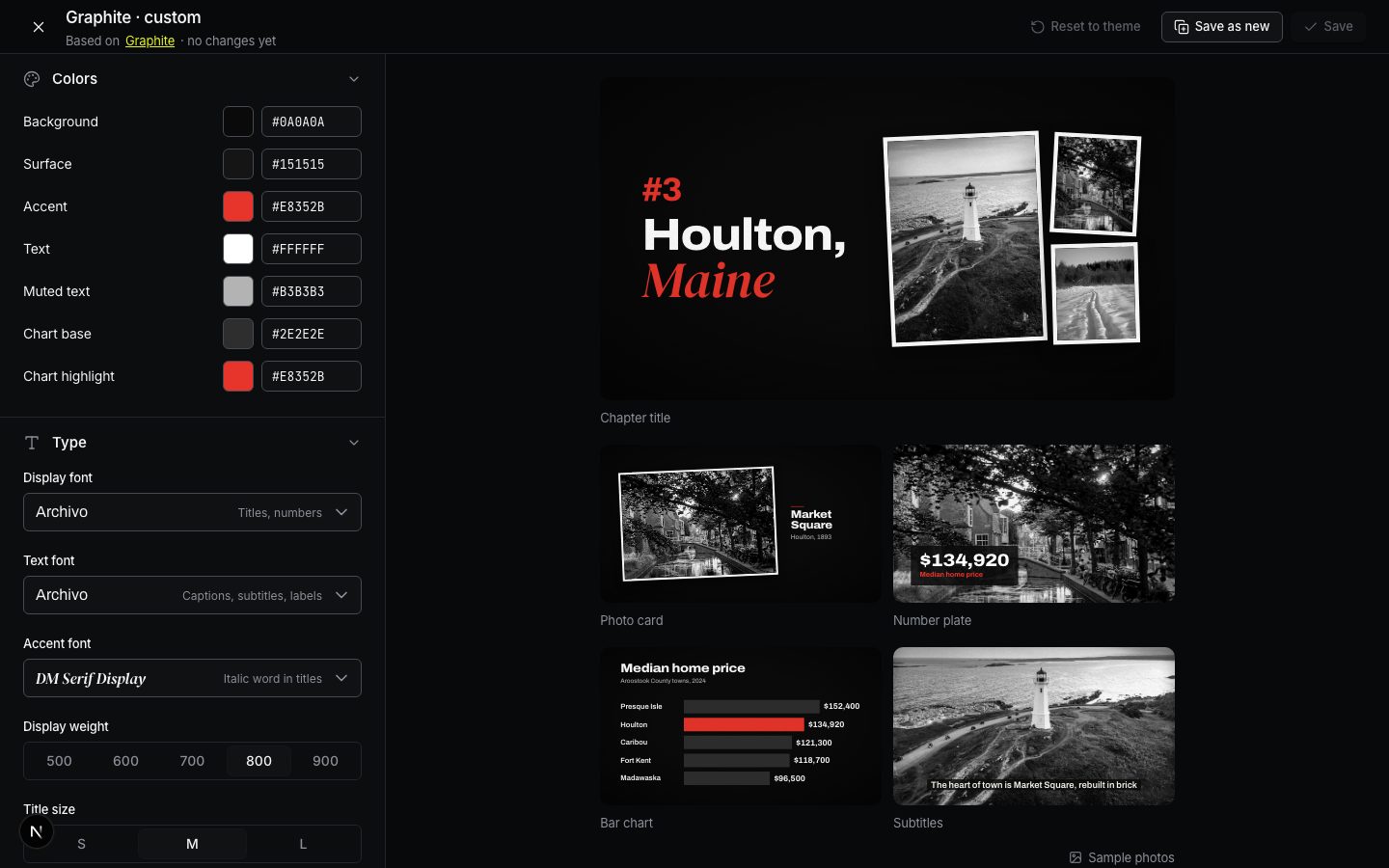
A dot next to a setting means it is changed; click it to go back to the theme’s value. Reset to theme undoes all changes. The original theme never changes.
Your styles appear under My styles in every Style picker. A style based on a Premium theme costs the same as that theme.
Editing a style that is in use
Changes apply to the next render of every video that uses the style. Videos already rendered don’t change. Deleting a style switches its videos to the original theme for new renders.
Write to us — a person reads every message and replies by email.