Credits and plans
How credits work, what each part of a video costs, the plans, and changing or cancelling your plan.
Credits
Every plan gives you credits each month. About 11 credits make one finished minute of video. Minutes are counted from the real length of the narration and rounded up.
| What | Credits | When |
|---|---|---|
| Gathering footage | 4 a minute | Spent during preparation, once per video |
| Render | 7 a minute | Reserved when you start, charged when the render finishes |
| Premium theme | +1 a minute | With the render |
| Subtitles, subscribe banner, music | Free | |
| Thumbnails from video frames | Free | |
| YouTube title, description and tags | Free | |
| Replacing or re-voicing the narration | Free |
A 10-minute video in an Included theme costs 110 credits: 40 for footage and 70 for the render.
Reserved, charged, returned
When you press Generate, the render part is reserved: it is set aside so you can’t run out halfway. After the render it is charged. If the render fails, it is returned. Footage credits are spent as preparation goes; if you stop preparation yourself they are not returned, but if it fails on our side, they are.
A re-render charges the render again. Footage is never charged twice for the same video.
See your balance
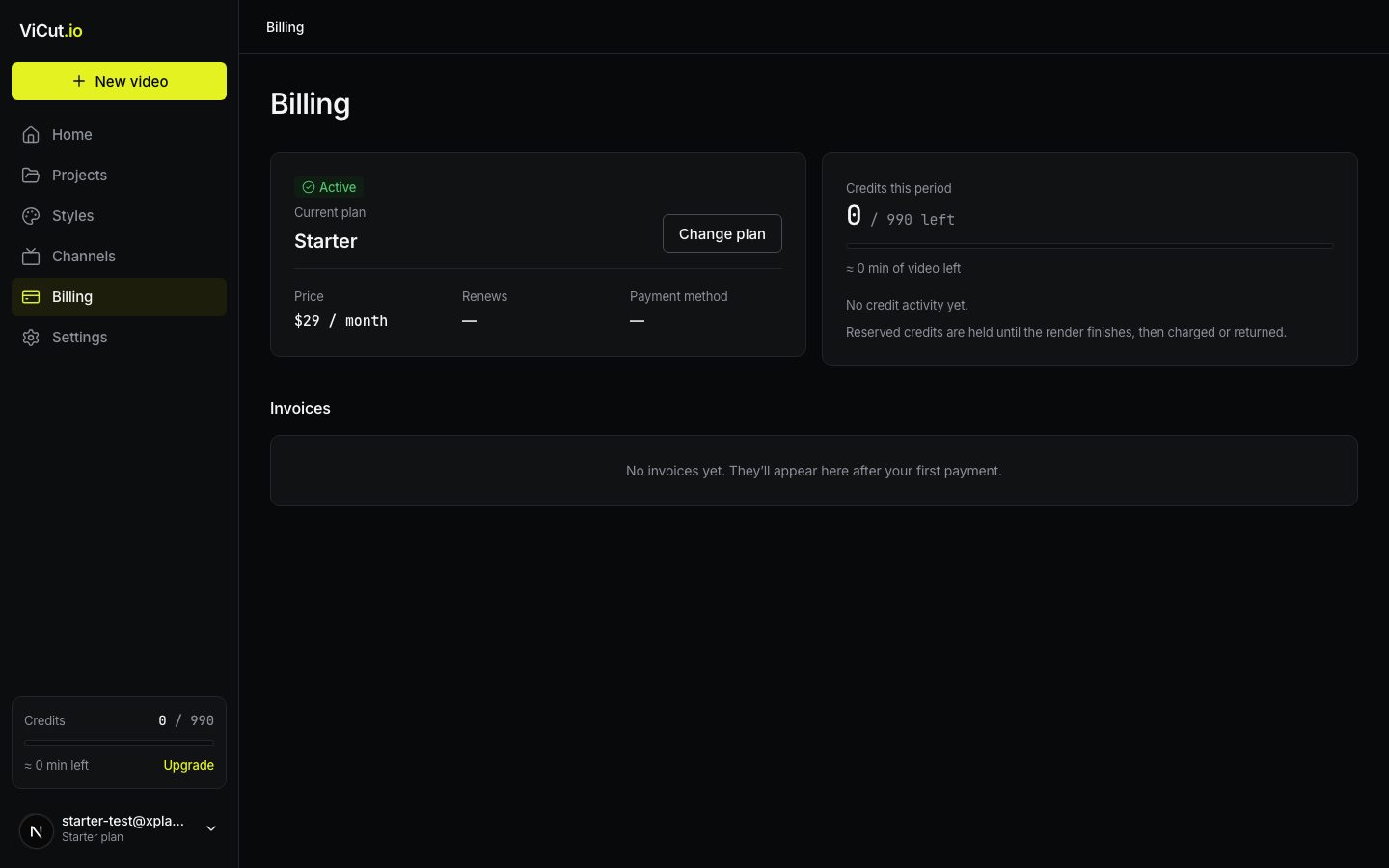
- The credits meter at the bottom of the sidebar: credits left and roughly how many minutes of video that is.
- Billing: the plan, the balance for this period and the latest credit activity, each marked Reserved, Charged or Returned.
Plans
| Starter | Creator | Studio | |
|---|---|---|---|
| Price | $25 / month | from $55 / month | from $249 / month |
| Video minutes a month | 60 | 150 to 1,000 | 900 to 5,000 |
| Renders at once | 1 | 2 | 4 |
| Projects | 1 | Unlimited | Unlimited |
| Channels | 1 | 3 | Unlimited |
| Queue | Standard | Ahead of Starter | Priority |
Creator and Studio let you choose how many credits you need each month. Yearly billing gives 2 months free. Every plan keeps finished videos for 30 days after render. Space for your uploads (voiceovers and own frames): 2 GB on Starter, 10 GB on Creator, 30 GB on Studio.
To choose or change a plan: Billing → Change plan, or Upgrade under the credits meter. Pick a plan and, for Creator and Studio, the credits per month.
- More credits or a pricier plan: you pay the price difference for the rest of the billing period now, and the extra credits for the rest of this month are added right away. Need more credits this month? This is how you top up.
- Fewer credits or a cheaper plan: nothing is charged or refunded. You keep this month’s credits; the new price and credits start at your next renewal. Billing shows the date under the credits meter.
- Monthly to yearly: works like more credits. Yearly to monthly is possible only after the paid year ends: cancel the yearly plan and choose a monthly one after that date.
Unused credits
Credits don’t carry over: unused credits expire when a new billing period starts. Yearly plans get their credits month by month.
Cancel
Billing → Cancel subscription. Everything works until the end of the paid period. Drafts and storyboards are kept (videos nobody opens for 14 days are cleaned up, as on every plan); finished videos stay downloadable until 30 days after each render. Changed your mind? Press Resume plan before the period ends.
Refunds
If we refund a payment, the credits it bought are removed in the same proportion: a half refund removes half of them. Credits you already spent stay spent, and your balance never goes below zero.
If a payment fails
You see Payment failed on Billing. We retry automatically. For 7 days you can keep working, then new videos won’t start until the payment goes through. Press Update card to change the card. Every payment is listed under Invoices on Billing with its date and time, plan and amount, including plan changes and refunds. Press Invoice to open your billing page at Creem, our payment provider, where you can download each invoice as a PDF.
Write to us — a person reads every message and replies by email.