On this page
Pick a documentary niche where long videos already get views, study three channels that grew in the last year, and write the title before the script.
ViCut turns the title into a researched script, finds licensed footage, and builds a storyboard you review before rendering. You upload the video and the YouTube pack in YouTube Studio.
At 3 videos a week of 20 minutes, ViCut costs $129 a month on the Creator plan. Monetization needs 1,000 subscribers and 4,000 watch hours; with a 35% average view, that’s about 34,000 views.
Four tools, one of them paid by the minute
Competitor research and titles, with the two prompts below.
Free plan or $20/moFinding niches and the top videos of competitor channels.
Free planScript, footage, voiceover, edit, subtitles, thumbnails and the YouTube pack.
$0.42–0.45 per finished minuteUpload, schedule, check analytics and apply for monetization.
FreePick a niche with proven demand
Look for topics where videos over 15 minutes already get views, and where new channels are breaking through. Search the topic on YouTube or in vidIQ, sort by views, and note which channels are less than a year old.
Niches that suit ViCut have real photos, maps or archive footage to show: history, disasters, true crime, engineering, places.
Study 3 competitors
Pick three channels in the niche that grew in the last year. Copy the titles, lengths and views of their top 10 videos (vidIQ lists them in one view; the channel’s Popular tab works too) and paste them into Prompt 1.
You are a YouTube strategist. I run a faceless documentary channel about [niche].

Below are the titles, lengths and view counts of the top 10 videos from 3 channels in this niche, published in the last 12 months:
[paste the list]

1. Group the videos by angle: disaster minute by minute, rise and fall, unsolved mystery, explainer, other.
2. For each group, give the number of videos, average views and average length.
3. Suggest 10 topics none of these channels has covered that fit the strongest angle.
4. For each topic, say whether public-domain photos, maps or archive footage are likely to exist.

Answer in a table.
| Angle | Videos | Avg views | Avg length |
|---|---|---|---|
| Disaster, minute by minute | 12 | 840K | 24 min |
| Rise and fall | 9 | 610K | 31 min |
| Unsolved mystery | 6 | 420K | 19 min |
Write the title first
The title decides whether the video gets clicked, and the script’s job is to deliver on it. Write it before anything else and use it as the brief for the video.
Write 10 YouTube titles for a [length]-minute documentary about [topic].

Rules:
- Under 60 characters.
- Lead with the most surprising fact, not the date.
- No all caps and no “you won’t believe”.
- The first 30 seconds of the video must deliver what the title promises.

Then pick the 3 strongest, explain each pick in one line, and write a one-sentence opening hook for each.
Turn the idea into a script in ViCut
Paste the title and the hook into the composer, or paste a script you wrote (see how to write a YouTube script). Set the length, voice and style. ViCut researches the topic, writes a script with a source for every figure and splits it into chapters and scenes.
The cost is shown before you start: a 20-minute video uses 20 minutes of your plan, $0.42–0.45 each depending on the plan.
What’s the next documentary?
Review the storyboard
Every scene shows its shot, source and licence. Scenes ViCut isn’t sure about are flagged for review. Open the alternatives, pick a better shot or upload your own.
Nothing is spent on rendering until you press Render.
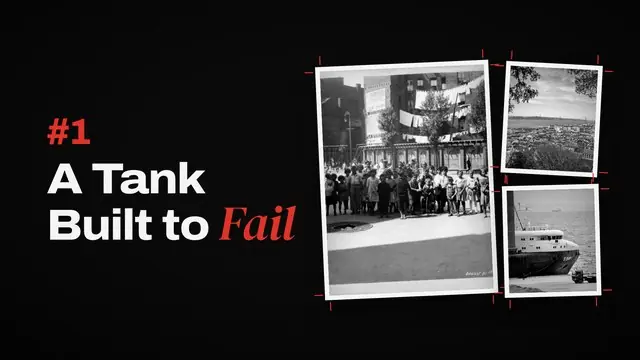

Chapter 1 · A Tank Built to Fail
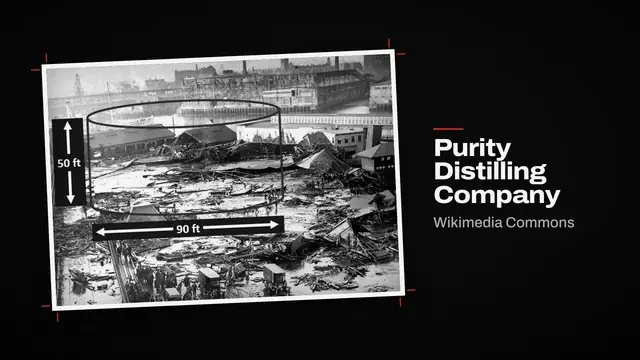
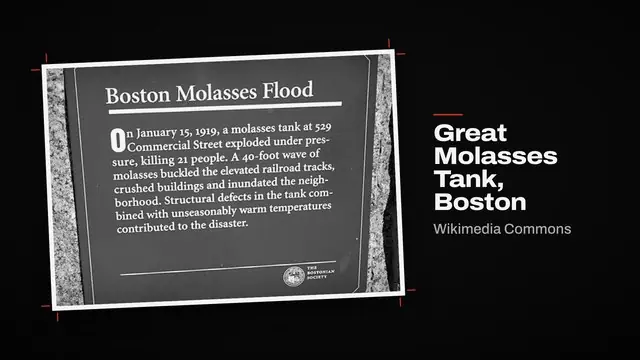
Chapter title · Graphite styleOn a warm January morning, the tank on Commercial Street gave way.
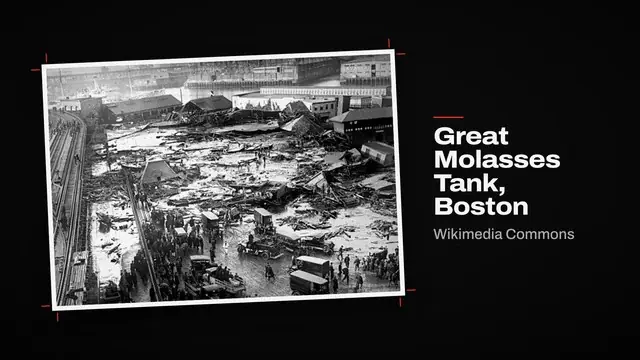
Wikimedia Commons · Public domain Wikimedia Commons · Public domainSwappedWithin seconds, a wave of molasses up to 25 feet high rolled through the North End.
Needs reviewWikimediaWikimediaWikimediaPexelsRender and get the YouTube pack
Press Render. You get a 1080p MP4, SRT subtitles and the YouTube pack: title, description with chapter timestamps, footage credits and tags.
Boston Molasses Flood plaque · Wikimedia Commons · CC BY-SA 4.0
+ 42 more
7:51Thumbnail and upload
ViCut makes thumbnail options from the video’s own frames. Pick one, then upload in YouTube Studio: paste the title, description and tags from the pack, add the thumbnail and set the video to Scheduled.
ViCut uses real footage, so most videos don’t need the altered or synthetic content label. Tick it if you add realistic AI-generated scenes.
21 dead. A wave of syrupBuilt to failBoston, 1919Publish on a schedule
Pick days you can keep for six months, for example Monday, Wednesday and Friday. Batch the work: research and titles on one day, storyboard reviews on another.
What a channel costs to run
At 3 videos a week of 20 minutes, you publish about 260 minutes a month. The Creator plan with 305 minutes ($129) covers it with 45 minutes to spare: about $9.90 per video.
| Tool | What you pay for | Per month |
|---|---|---|
| ViCut | Creator · 305 min a month | $129 |
| Claude or ChatGPT | Prompts 1 and 2 | $0–20 |
| vidIQ or YouTube search | Niche and competitor research | $0 |
| YouTube Studio | Upload and scheduling | $0 |
| Total | 13 videos a month | $129–149 |
The cheapest monthly plan that covers your minutes, US dollars. A month is 52 ÷ 12 weeks.
How long until monetization
To join the YouTube Partner Program with long videos, a channel needs both of these within the last 12 months.
Spread over 13 videos a month, that’s about 2,600 views per video in one month, or less per video over a longer stretch. Views have to come from public videos; deleted or private videos don’t count.
Channels growing in this format
Young faceless channels that publish 20–30 minute videos about American towns, from public YouTube data on September 29, 2026.
- Started
- Nov 2025
- Subscribers
- 38.5K
- Last 14 days
- +500
- Started
- Jun 2026
- Subscribers
- 18.5K
- Last 14 days
- +600
- Started
- Jun 2026
- Subscribers
- 9.3K
- Last 14 days
- +1.6K
- Started
- Apr 2026
- Subscribers
- 3.6K
- Last 14 days
- +2K
Made with ViCut
Mistakes that kill faceless channels
- 01Mass-producing near-identical videos
YouTube doesn’t monetize repetitive or mass-produced content. Give every video its own topic, research and angle, not the same template with new names. More in reused content and monetization.
- 02Footage without a licence
Copyright claims take the revenue, and strikes can take the channel. Keep the source and licence for every shot and put the credits in the description.
- 03Titles the video doesn’t deliver on
Viewers who don’t get what the title promised leave in the first minute, and low retention stops YouTube recommending the video.
- 04Uploading in bursts, then going quiet
Ten videos in a week followed by a month of nothing is harder to grow than three a week, every week. Pick a schedule you can keep.
- 05Changing niche every few weeks
Subscribers came for one kind of story. Switching topics confuses both them and the recommendations; stay in one niche long enough to learn what works.