ViCut vs InVideo AI
Both make YouTube videos with AI. InVideo AI is built for fast short-form and promo edits; ViCut is built for 8–35 minute documentaries with real footage you approve shot by shot.
Choose ViCut if…
- You publish 8–35 minute documentaries for YouTube
- You need real footage with a source and licence you can credit
- You want to check and swap every shot before a credit is spent on render
Choose InVideo AI if…
- You make short promo, social or ad videos
- You want to change the edit by telling an AI agent what to do
- You want AI-generated visuals or a lower starting price
ViCut and InVideo AI compared
| Feature | ViCut | InVideo AI |
|---|---|---|
| Made for | Long faceless YouTube documentaries | Short promo, social and ad videos |
| Video length | 8–35 min | Not listed |
| Visuals | Licensed stock and archives: Wikimedia Commons, Openverse, Pexels, Pixabay, USGS maps | AI generation + stock |
| Footage licences and credits | Source on every shot; news-site photos marked as not licensed, one click swaps them; credits in the YouTube pack | Not listed |
| Review every shot before render | Yes | Not listed |
| Your own voiceover | Yes | Not listed |
| AI voices and languages | 36 voices · English, Spanish, German | Text to speech and voice cloning |
| Export | 1080p MP4, SRT subtitles, YouTube pack | 1080p; 4K on Ultra |
| Price from | $25/mo | $9/mo |
| Per finished minute | $0.42–0.45 | Credit-based |
| Free plan | No | Not listed |
- ViCut
- Long faceless YouTube documentaries
- InVideo AI
- Short promo, social and ad videos
- ViCut
- 8–35 min
- InVideo AI
- Not listed
- ViCut
- Licensed stock and archives: Wikimedia Commons, Openverse, Pexels, Pixabay, USGS maps
- InVideo AI
- AI generation + stock
- ViCut
- Source on every shot; news-site photos marked as not licensed, one click swaps them; credits in the YouTube pack
- InVideo AI
- Not listed
- ViCut
- Yes
- InVideo AI
- Not listed
- ViCut
- Yes
- InVideo AI
- Not listed
- ViCut
- 36 voices · English, Spanish, German
- InVideo AI
- Text to speech and voice cloning
- ViCut
- 1080p MP4, SRT subtitles, YouTube pack
- InVideo AI
- 1080p; 4K on Ultra
- ViCut
- $25/mo
- InVideo AI
- $9/mo
- ViCut
- $0.42–0.45
- InVideo AI
- Credit-based
- ViCut
- No
- InVideo AI
- Not listed
Three things that set them apart
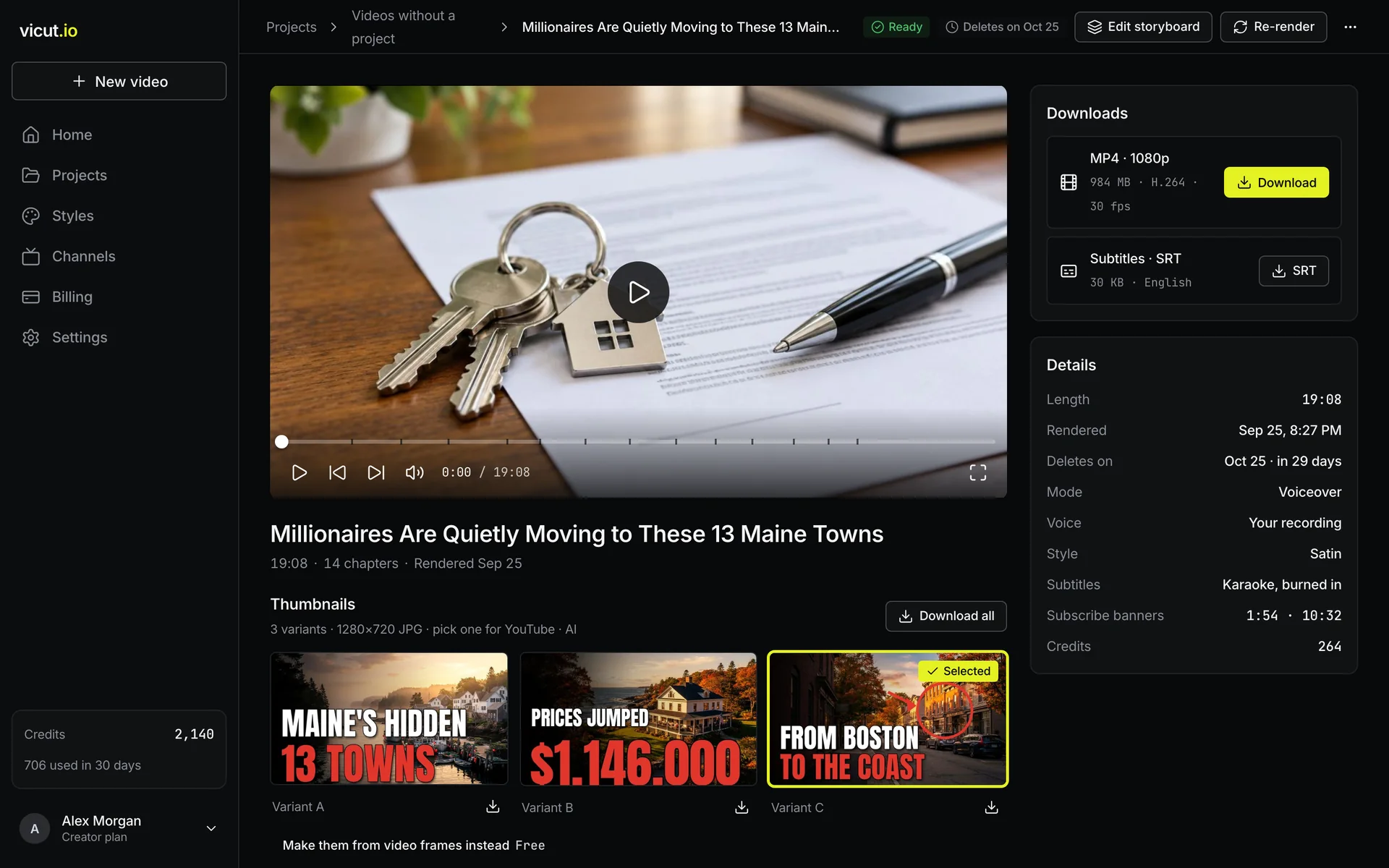
Length: a documentary, not a clip.
ViCut plans chapters, narration and footage for a video of 8 to 35 minutes, and the YouTube pack includes chapter timestamps for the description.
InVideo AI doesn’t list a maximum video length on its pricing page.
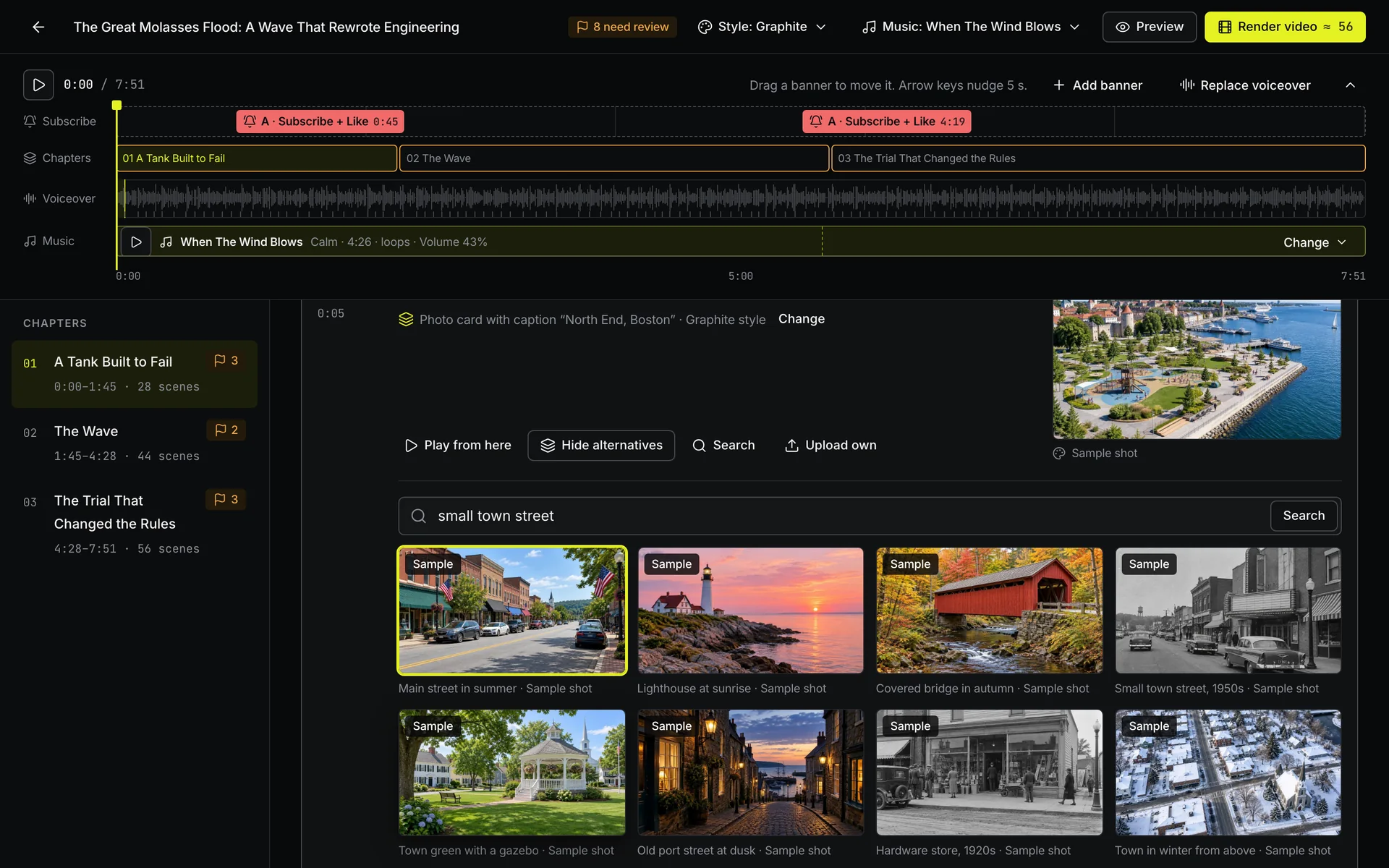
Footage you can publish.
Every shot comes from Wikimedia Commons, Openverse, Pexels, Pixabay or USGS historical maps and keeps its source and licence.
The YouTube pack lists the credits, ready to paste into the description.
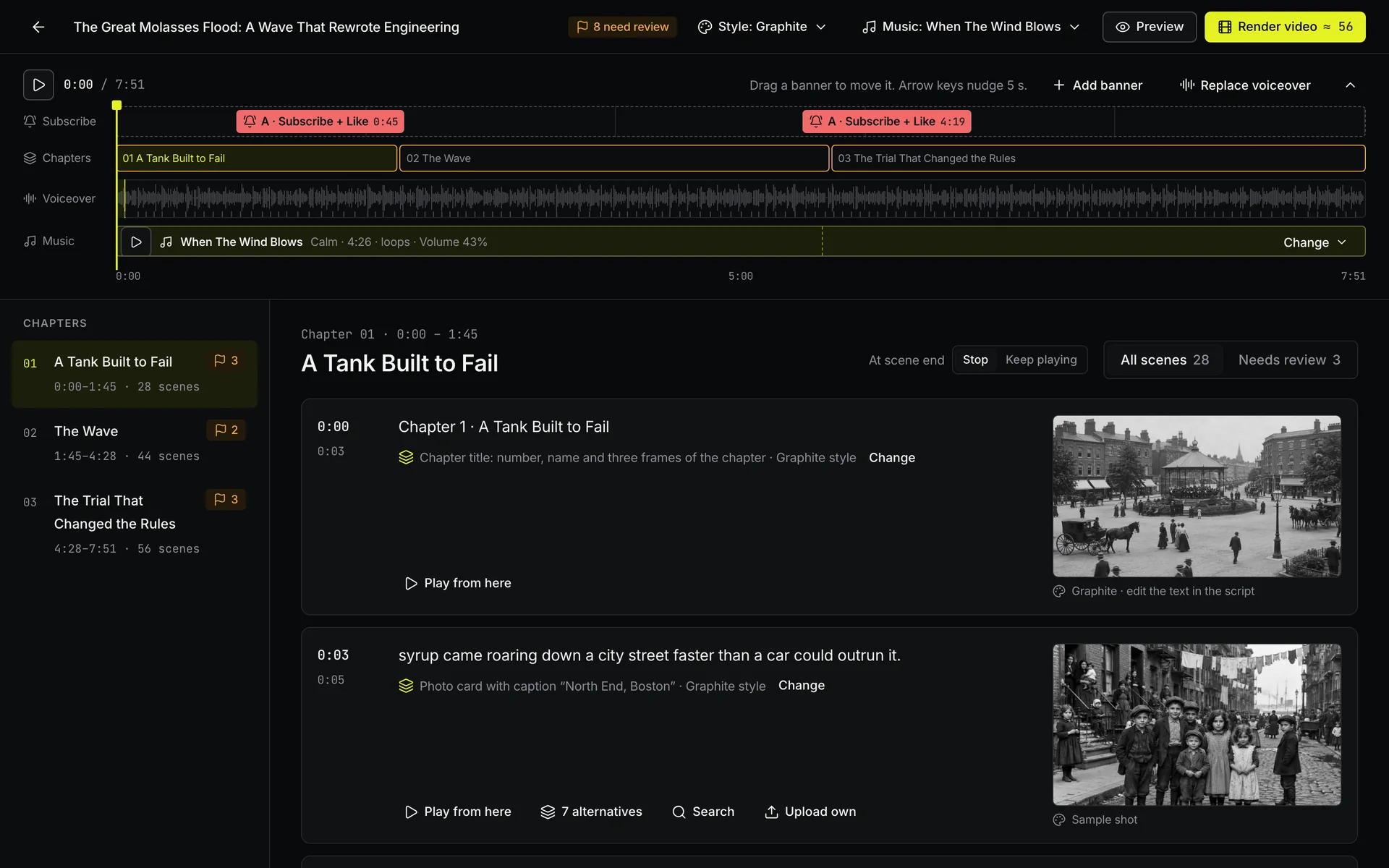
You approve every shot.
The storyboard shows every scene before render, with alternative shots for each one. Scenes that need a look are marked for review.
Nothing is spent on rendering until you press Render.
What a month costs
Monthly billing, US dollars, list prices checked October 19, 2026.
Where InVideo AI is better
If these matter more to your channel, InVideo AI is the better pick.
- An AI editing agent. Describe the change in plain words and the agent edits the timeline.
- AI-generated visuals. Useful when a topic has no real footage to show.
- A lower starting price. Plans start at $9/mo, against $25/mo for ViCut.
Switching from InVideo AI
Paste your script or upload your voiceover
Bring the script you wrote or the narration you recorded. ViCut splits it into scenes.
Review the storyboard
Check every scene, swap shots, music or style. Nothing is spent on render yet.
Render and download
Get the MP4 and the YouTube pack: subtitles, thumbnails, title, description with chapters and credits.
Questions about this comparison
Is ViCut cheaper than InVideo AI?
InVideo AI starts lower, at $9/mo, and charges in credits, so the cost of a video depends on the AI models it uses. ViCut charges per finished minute: $0.42–0.45 on monthly plans, shown before you render.
Can I bring an InVideo AI project into ViCut?
Projects don’t transfer. Paste the script into the composer or upload the voiceover you recorded, and ViCut builds a new storyboard around it.
Can ViCut make short videos or Shorts?
No. ViCut makes 8 to 35 minute videos. For clips under 8 minutes, InVideo AI is the better fit.
Can I monetize videos made with ViCut?
Each video is a new edit with a script, narration and footage chosen for your topic, and every shot keeps its source. YouTube reviews channels, not tools, so your own angle matters. Nobody can promise monetization.